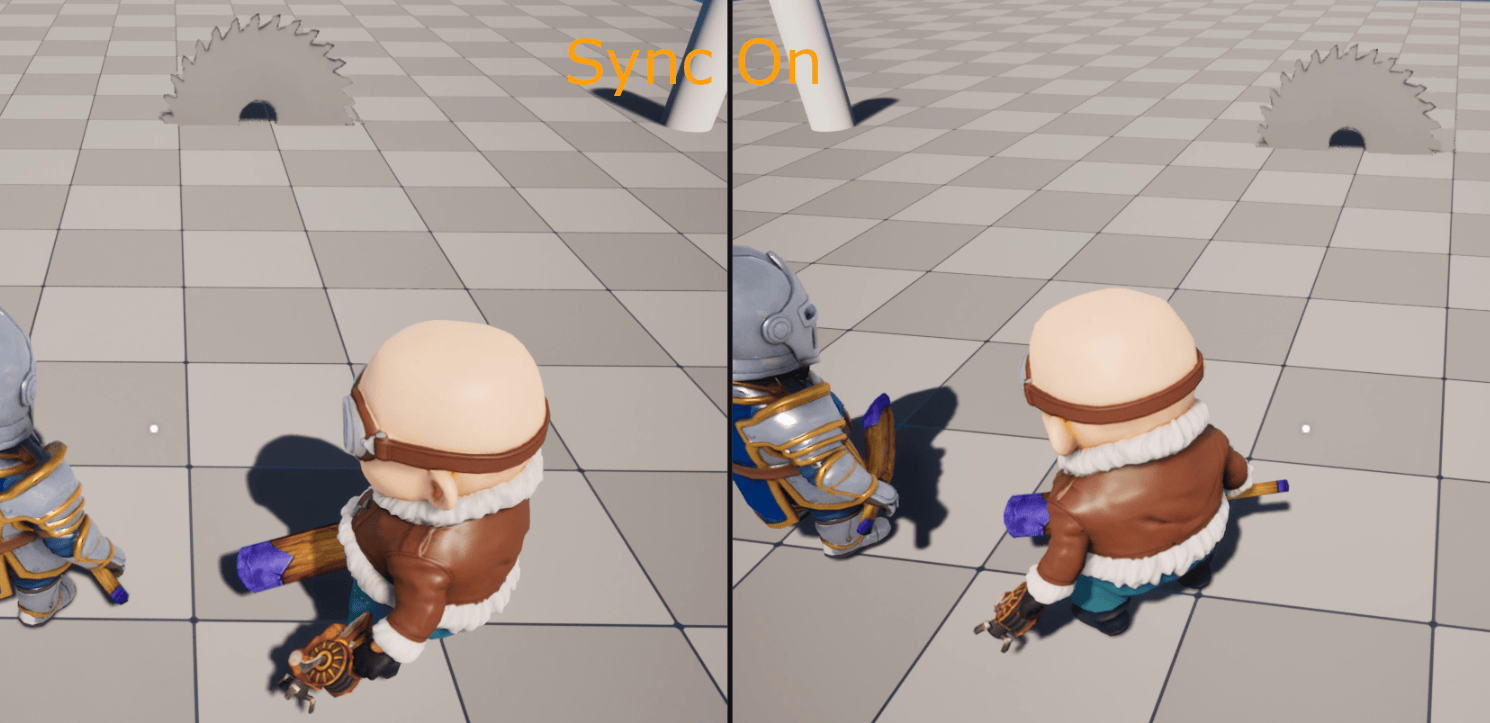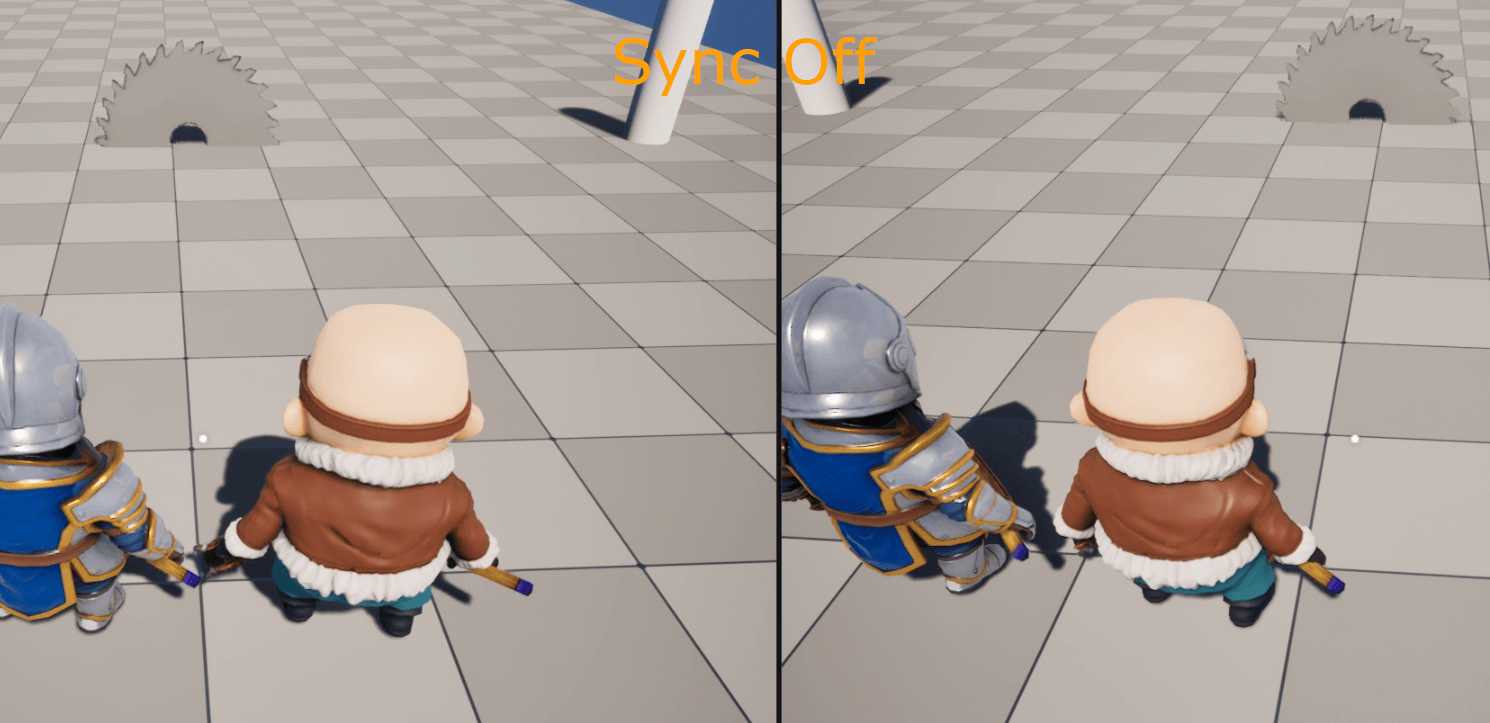
The Problem
Airship Climber has a number of traps, like the buzz saw, that move along a spline at a fixed rate. Since it’s an online multiplayer game, every player needs to see the saw in the same spot. Otherwise, a player could get hit by a saw that looked like it was a meter away on their screen.
One option was to replicate the saw’s transform every frame, but that uses a lot of bandwidth, and the movement still jitters on clients. Instead, I decided to have the server replicate only the time the trap started. Each client then calculates where the blade should be on its own. For this to work though, every client needs to know what time it is on the server.
Why Not Just Use Unreal’s Server Time?
Unreal already has GetServerWorldTimeSeconds() on the GameState. It works by replicating the server’s timestamp and comparing it to the client’s clock when it arrives. The issue is that it doesn’t account for the time it took that packet to reach the client. Every client ends up behind the server by its one way trip time, and since every player has a different ping, everyone would see the saw in a slightly different spot. Because of this, I decided to build my own clock sync system in the Player Controller.
Measuring the Offset
Each machine’s world clock starts when it loads the map, so clients and the server are off by an unknown amount. To figure out that offset, I used a simplified version of NTP. The client sends its timestamp to the server, the server sends back the client’s timestamp along with its own, and the client assumes the reply took half of the round trip time to arrive.
CLIENT SERVER | | |---- Server RPC (ClientTs) ------------------>| | | ServerTs = server world time |<--- Client RPC (ClientTs, ServerTs) ---------| | RTT = client now - ClientTs Offset = ServerTs - ClientTs - RTT / 2
A single sample can be pretty noisy, so I keep the last ten round trip times. I sort them, throw out the fastest and slowest, and average the middle eight. That way one slow ping doesn’t throw off the round trip estimate, and the smoothing I talk about below takes care of any small noise that’s left over.
When a client first connects, it pings the server ten times a second until the buffer is full. After that, the clock is marked as synced, and it only pings once per second. I also tied the synced state into a “network ready” event, so traps don’t start moving until the client’s clock can be trusted.
Smoothing the Clock
Every new sample can shift the offset by a few milliseconds. If gameplay used that raw value directly, you’d see the saw hitch. To avoid that, I keep a separate smoothed clock. Every frame, it moves forward by the frame’s delta time plus a small correction based on how far it is from the raw server time. If the client is behind, its clock runs a little faster until it catches up, and if it’s ahead, it runs a little slower. If the difference is ever more than a second and a half, the clock just snaps to the correct time, since easing over that much time would take too long.
How Traps Use It
When the server activates a trap, it replicates a single double with the trap’s start time. Each client uses the synced clock to work out how long the trap has been running and places the blade in the correct spot. The server’s hitbox ends up in the same place, so what players see lines up with what can actually hit them. This also works for players who join in the middle of a run, since they just calculate the saw’s position from the start time. Overall, replicating one value each time a trap activates is a lot cheaper than sending transform updates every frame, and every player sees the same thing.